Short answer, as of August 2026: there is no single best AI video generator, but there is a cheapest way to get a shot you can actually use. For cinematic control pick Runway. For scripted presenter video pick HeyGen or Synthesia. For volume social work pick Seedance or Kling. And if you came here from ChatGPT looking for Sora, it is discontinued.
What happened to Sora
Three of the four questions Google surfaces alongside this search are about ChatGPT and video. The answer to all of them changed in 2026, and most of the guides ranking for this query have not caught up.
OpenAI closed the Sora app and web experience on 26 April 2026. The API shuts down on 24 September 2026, after which the Sora 2 and Sora 2 Pro endpoints stop serving requests. OpenAI has said account data is deleted after those dates. If you are reading a listicle that still ranks Sora first, check its publication date.
ChatGPT can still produce video through OpenAI’s consumer surfaces, but it is no longer a production backbone you can build a pipeline against. That is the practical distinction: a consumer feature can vanish, and this one did.
The metric that actually decides this: cost per usable shot
Every comparison of these tools quotes a price per second or per credit. That number is close to meaningless, because it prices generations, not results. What you pay for is the shot you keep, and the ratio of generations to keepers varies enormously by model and by shot type.
The formula is simple:
cost per usable shot = (attempts / acceptances) x model rate
Here are real numbers from our own production account rather than a vendor’s rate card. These were measured on a Higgsfield Ultra plan between June and August 2026 while producing long-form YouTube video.
| Generation | Settings | Measured cost |
|---|---|---|
| Marketing Studio video | 15s, 720p, audio on | 75 credits |
| Seedance 2.0 Fast | 15s, 720p | about 52.5 credits |
| Seedance 2.0 Mini | 480p | about 1 credit per second |
| MiniMax H3 | 6s, 2K | 24 credits |
| Wan 2.7 | 6s, 1080p | 15 credits |
| Kling, standard mode | 5s | about 7.5 credits |
| Kling, 4K mode | 5s | 30 to 36 credits |
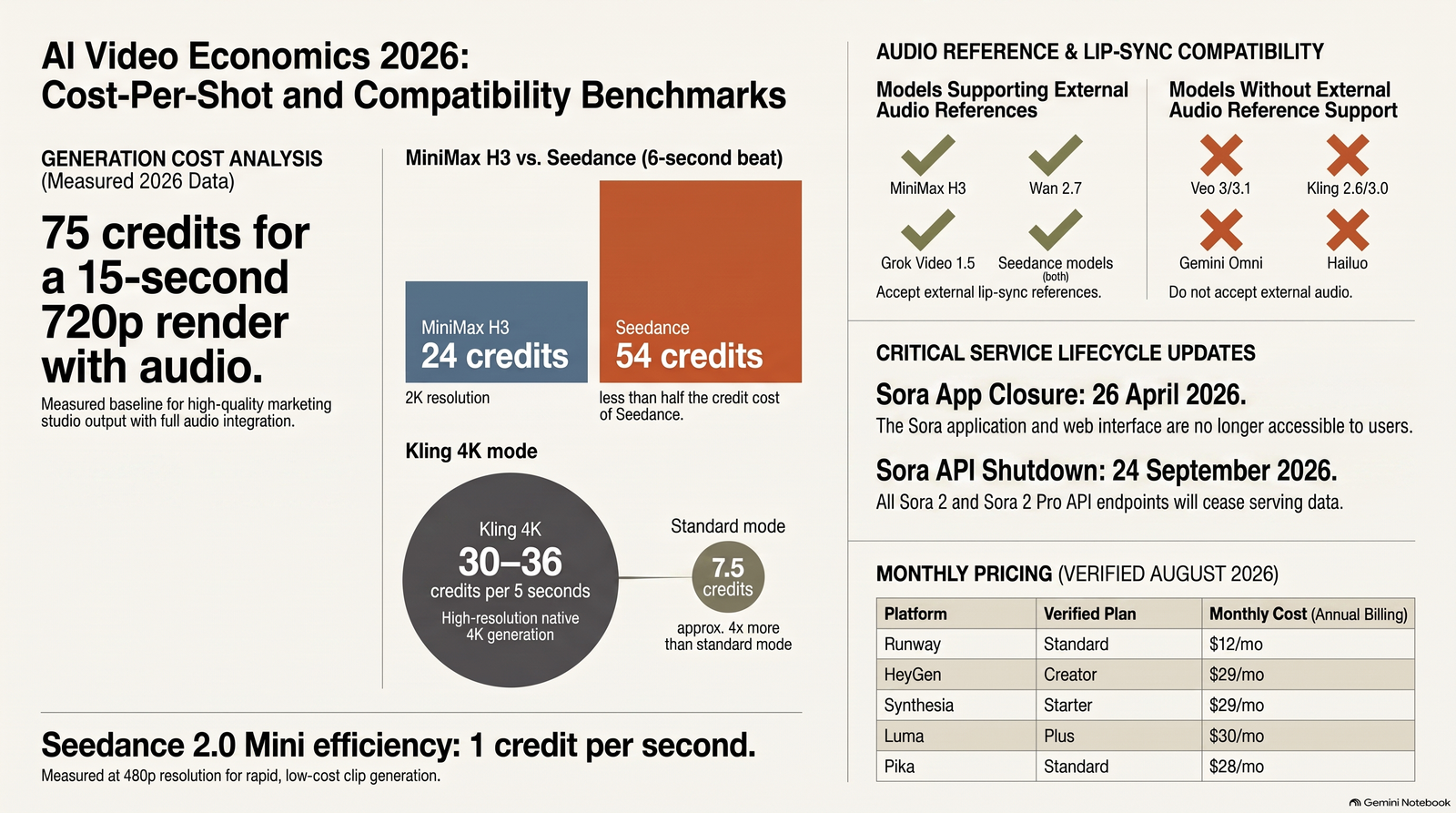
Two of those rows are worth sitting with. Kling’s 4K mode costs four to five times its standard mode for the same shot, and we have never once shipped a 4K master that a viewer could distinguish from the standard tier on a YouTube upload. We banned the setting outright after burning 30 credits proving it.
The other is Seedance at a 6-second beat, which costs 54 credits against MiniMax H3 at 24 credits, while delivering lower resolution. The cheaper-looking model was more than twice the price at the length we actually needed.
One piece of good news that changes how you should work: on Higgsfield, failed generations are not charged. We verified this. It means iteration on failures is free, and the real cost driver is generations that succeed but that you reject on taste.
Which models can lip-sync to your own voiceover
This is an expensive thing to learn the hard way, because it is not on any pricing page. If you need a model to sync to a voiceover you supply, most of them simply cannot do it, no matter how good their video is.
As of a catalogue check on 6 August 2026, only these accept an audio reference: MiniMax H3, Wan 2.7, Grok Video 1.5, and the two Seedance models. Veo 3 and 3.1, Kling 2.6 and 3.0, FLUX 3 Video, Gemini Omni and Hailuo do not. You can produce beautiful footage with them and still be unable to put your own narration in a character’s mouth.
The tools, and what each is genuinely for
Runway
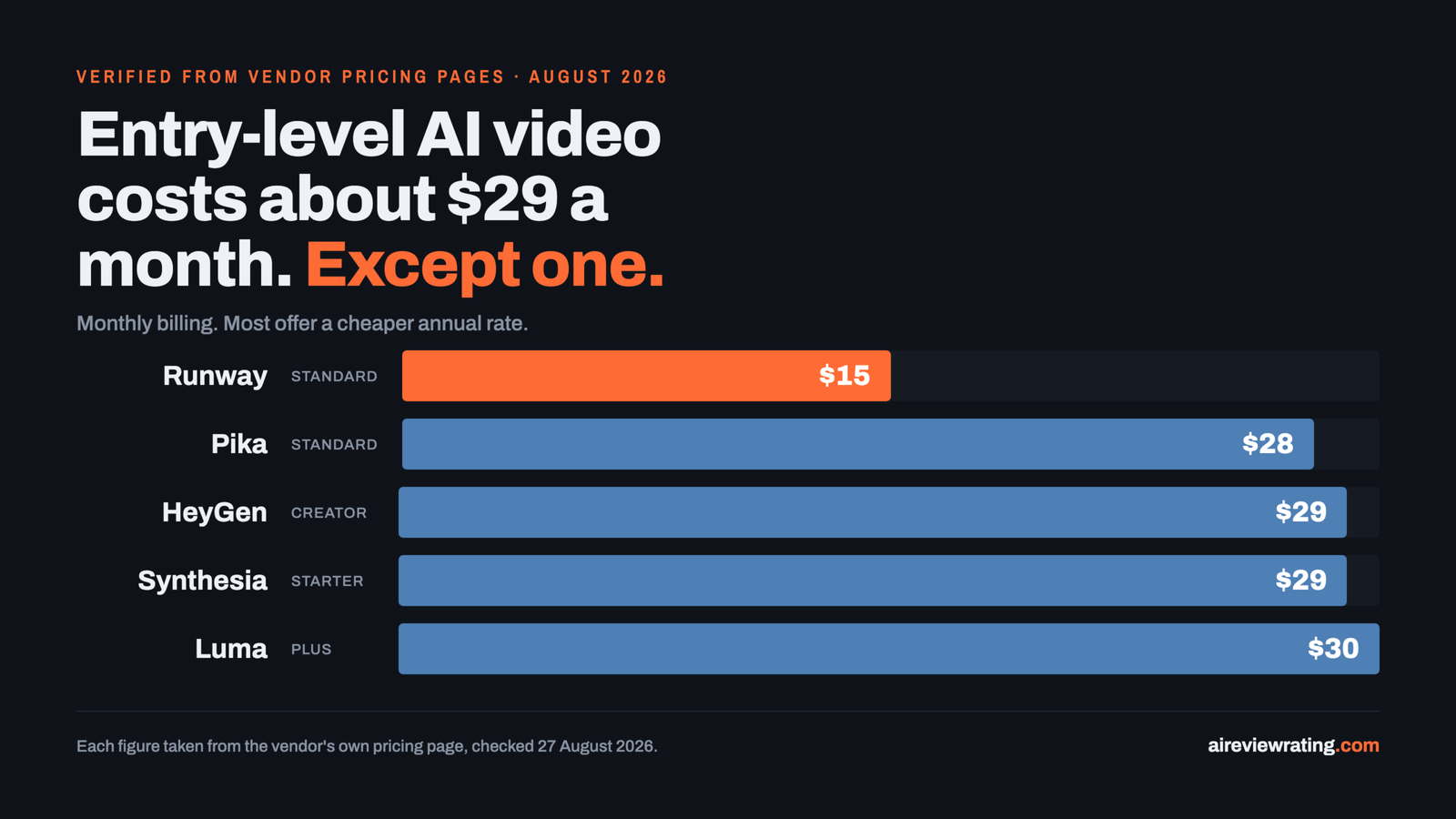
Runway remains the choice when you need frame-level direction rather than a lucky generation. Pricing as of August 2026: a free tier with 125 one-time credits, Standard at $12 per month billed annually or $15 monthly for 625 credits, Pro at $28 annually or $35 monthly for 2,250 credits, and Max at $76 annually or $95 monthly for 9,500 credits.
Kling
Kling won second place in our own four-model bakeoff on 19 August 2026 and is what we fall back to when Seedance refuses a shot. Use standard mode. We could not verify Kling’s current published pricing for this article, because klingai.com refuses automated requests, so we have deliberately left the numbers out rather than repeat figures from another blog.
Seedance
Seedance 2.0 Mini is our default first attempt for any shot. In a four-way test from one identical start frame, Seedance 1.5 zoomed in without being asked and letterboxed itself, and Wan 2.6 distorted shapes and capped out at 5 seconds. Both were eliminated. Seedance 2.0 Mini generates 4 to 15 seconds in a single pass, which removed an entire frame-chaining step from our pipeline. It is limited to 480p and 720p. Set audio generation to false, because it defaults to true and costs more.
Higgsfield
Higgsfield is the platform we actually run, which is why most of the measured numbers above come from it. It aggregates many models behind one interface and one credit balance. Pricing captured from its own page on 26 August 2026: Ultra at $194 per month billed annually against a $258 list price, for 6,000 credits per month; Team at $65 per seat per month annually for 2,000 credits; Scale at $150 per seat per month annually for 12,500 credits. Note the hard 15-second ceiling on a single generation. A 20-second request always fails, and is charged and then refunded.
HeyGen and Synthesia
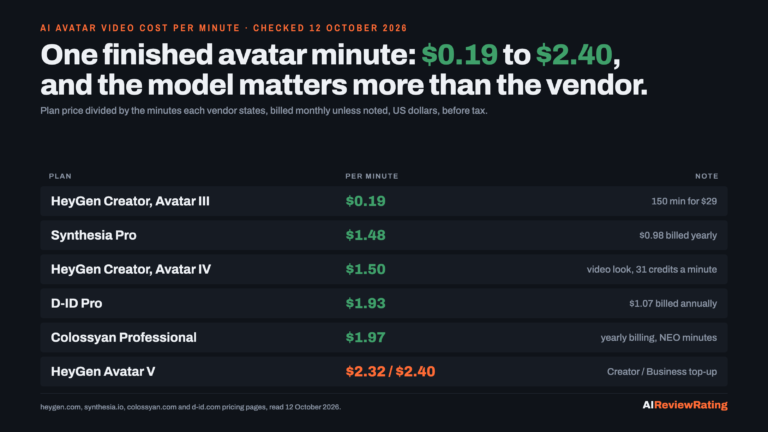
These solve a different problem: a person on camera saying a script, without a camera or a person. HeyGen runs a free tier at 3 videos per month, Creator at $29 per month for 600 credits, Pro at $49 for 1,000 credits, and Business at $149 plus $20 per seat for 1,500 credits. Synthesia is priced in minutes rather than credits: a free Basic tier with 10 minutes per month, Starter at $29 monthly or $18 billed yearly for 10 minutes, and Creator at $89 monthly or $64 yearly for 30 minutes.
Luma and Pika
Luma starts at $30 per month, or $25 billed yearly, for 10,000 credits, rising to $90 and $300 tiers. Pika is the cheapest entry point of anything here with a real free tier: $0 for 80 credits a month, Basic at $8 per month billed yearly for the same 80 credits, and Standard at $28 per month for 700 credits.
The rest
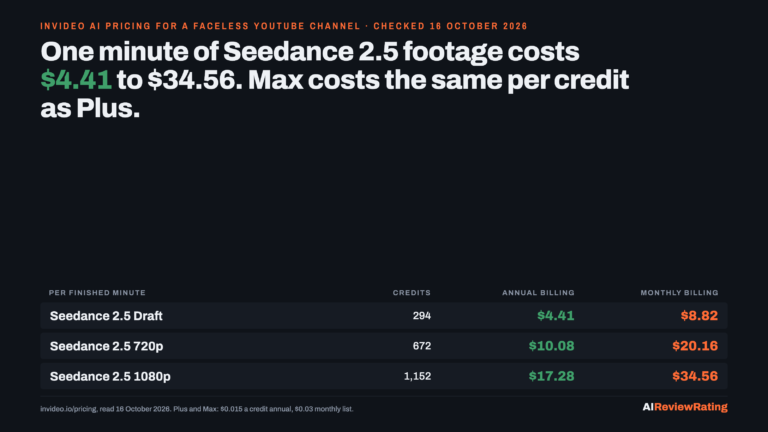
CapCut and InVideo are editors and assemblers rather than generators. OpusClip repurposes long footage you already own into vertical clips and generates nothing new. PixVerse and MiniMax are worth testing on your own shot types. We have not published prices for these because we could not verify them from the vendors’ own pages at the time of writing.
Five failures that cost us credits so they do not have to cost you
- Setting the end image equal to the start image freezes the mouth shut. Total morph lock, zero lip-sync. It looks like a model failure and it is a settings error.
- A rubbery, plastic-looking face is usually an upscale, not a bad reference. Ours was 720p upscaled. Generating natively at 1080p fixed it completely.
- Asking a model to invent hand gestures fuses the fingers. Start from a reference image that is already mid-gesture and the model continues a well-formed hand instead of inventing one.
- Models hallucinate on-screen text. Garbled price cards and misspelled labels are routine. Prompt for no on-screen text at all, then add real text afterwards in an editor.
- Never render video at 4K. See the cost table. Four to five times the price for a difference nobody watching a social upload can see.
How to choose in an afternoon
- Bucket your shots by type: talking head, product on white, action, b-roll. Hit rates differ wildly between them.
- Run 20 to 30 generations per candidate tool within one bucket and log how many you would actually ship.
- Multiply that ratio by the model rate. That is your real cost, and it frequently reorders the leaderboard.
- Check the lip-sync table above before you commit, if you need to supply your own audio.
The tools are commodities and they change monthly. The discipline is not.
Frequently asked questions
Does ChatGPT make good AI videos?
Not as a production tool any more. OpenAI’s video model, Sora, had its app closed on 26 April 2026 and its API shuts down on 24 September 2026. Video generation remains available inside OpenAI’s consumer products, but it is no longer something you can build a repeatable workflow on. For that, use a vendor whose video product is the business rather than a feature.
Can ChatGPT generate videos for free?
Any video generation now sits inside a paid ChatGPT subscription rather than a free standalone product, and the dedicated Sora app that previously offered free generations closed in April 2026. If your requirement is genuinely free, Pika offers 80 credits per month at no cost and Synthesia offers 10 minutes of video per month on its Basic tier.
Is there a realistic AI video generator available?
Yes, and photorealism is no longer the differentiator it was in 2024. Most current frontier models produce convincing footage on a first or second attempt for straightforward shots. Realism now breaks down in predictable places rather than everywhere: hands performing invented gestures, any on-screen text, and consistency of a face or product across separate generations. Judge a tool on those three, not on its showreel.
Is Google Veo 3 the best AI video generator?
Veo is among the strongest for prompt adherence and synchronised dialogue, but it is a model rather than a subscription product, so you reach it through a Google plan or the Gemini API rather than buying it directly. One concrete limitation to know before committing: Veo 3 and 3.1 do not accept an external audio reference, so you cannot lip-sync a character to a voiceover you recorded yourself. If that is in your workflow, MiniMax H3, Wan 2.7 or Seedance are the options.
What is the cheapest way to produce AI video at volume?
Measured on our own account in August 2026, Seedance 2.0 Mini at 480p bills at roughly one credit per second, which was the lowest effective rate of anything we tested. Combine that with two habits: never render at 4K, which costs four to five times standard mode for no visible gain on social platforms, and retry failures freely on platforms that do not charge for failed generations.
Related reading on this site
- AI voice generators and what paid buys over free, the voice tools priced side by side.
- ElevenLabs pricing per finished minute, the cost of one minute of narration on each plan.
- ElevenLabs vs open source TTS, cost per finished minute, and the licence that decides it.
- Self-hosting AI image models, image-to-video starts from a still, like the start frame in our four-way test above; this prices making those stills on a rented $0.27 GPU hour against $0.014 per API image.
- GitHub repos that can start a business, including MoneyPrinterTurbo, the open source route to short-form video drafts, and why a draft is not a deliverable.
Comments
Sign in to join the discussion.
Login to comment